
Have you ever found yourself staring at a blank Google Doc late at night, pulling together an SEO checklist from scratch for the umpteenth time? This post might be just what you need.
Marketers deal with the same struggles all the time. Whether you’re a student just figuring things out, a freelancer managing several clients, or an in-house SEO lead preparing reports for the higher-ups, you often face the same challenge. There’s too much repetitive document creation and too little time to focus on strategy. Instead of diving into the real work, you end up recreating the same content calendar, audit checklist or onboarding form whenever a new project kicks off.
Digital marketing templates fix that issue. A proper template does more than save time; it works as a system. It creates a standard way to plan campaigns, check websites, follow keywords, and share results. This keeps your work steady, whether you’re new to the role or have been managing an agency for years.
This guide breaks down essential free digital marketing templates and checklists every marketer should keep handy. It also includes a free digital marketing template download pack that combines resources for SEO, content, social media, client management, and reporting in one convenient place. If you’re looking to grab a free SEO checklist, a marketing checklist template, or free marketing templates for freelancers, this bundle has everything you’ll need.
Let’s dive in.
What Are Digital Marketing Templates?
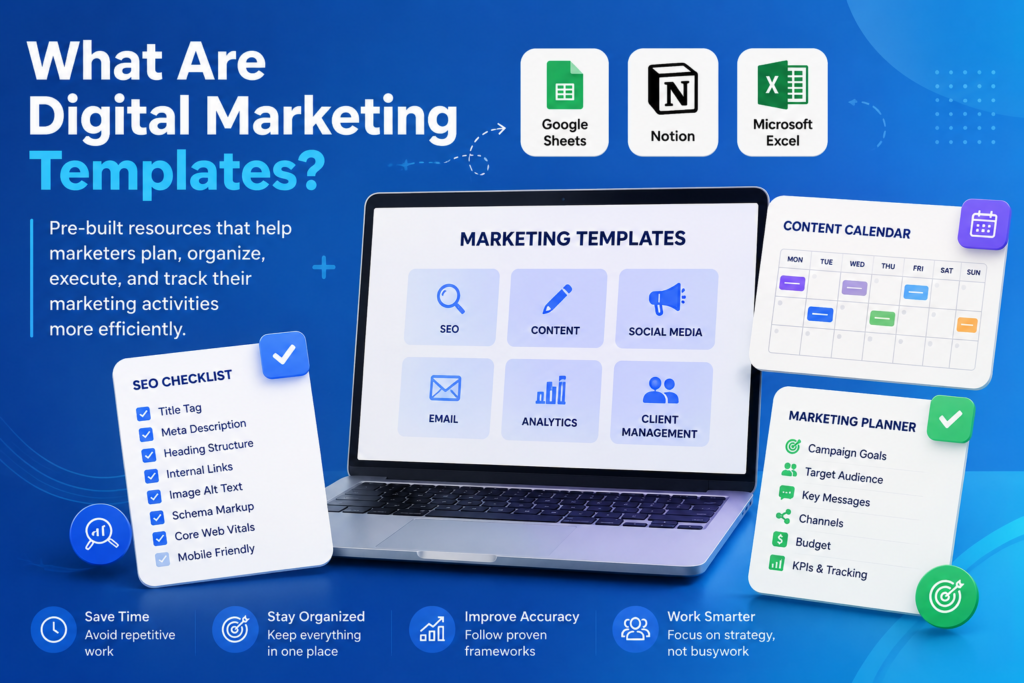
Digital marketing templates are ready-to-use tools, such as checklists, planners, sheets, or documents. They help you complete regular marketing tasks without having to start from scratch each time.
Imagine it’s like using a recipe card instead of guessing while cooking. You might try recalling every single step of a technical SEO audit from memory, but using a website audit checklist makes sure you don’t overlook Core Web Vitals just because you’re in a hurry to meet a deadline.
Who benefits from digital marketing templates?
- Newcomers to SEO who want a clear process to learn what quality work looks like
- Freelancers juggling multiple clients and needing a steady process instead of creating a new one all the time.
- Small business owners are running their own marketing without support from a large team.
- The marketing agency ensures all team members stick to the same standard process.
- Content creators are organizing steady posting schedules for blogs and social media .a
- In-house marketing pros who need to explain their progress to decision-makers
Experts use templates for the same reason pilots go through pre-flight checklists. It’s not because they lack knowledge—it’s because having structure saves them from big mistakes when things move. These free digital marketing templates help marketers create repeatable workflows.
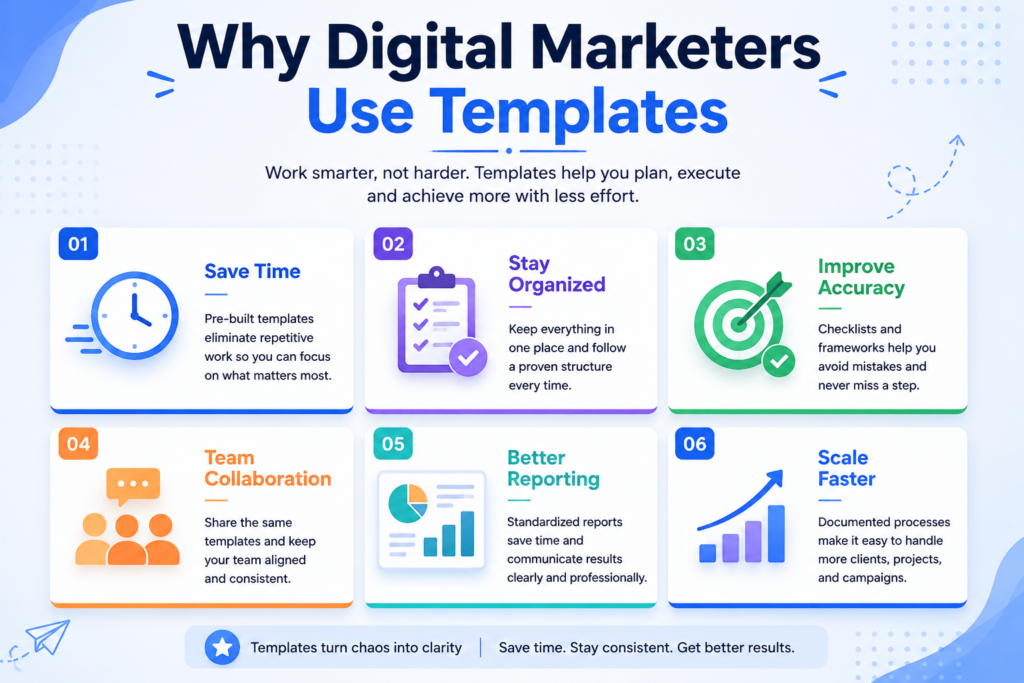
Why Digital Marketers Benefit from Templates
The truth is simple: talent and knowledge can take you so far when your workflow is a mess. Using templates solves that problem.
| Benefit | What It Actually Means for You |
|---|---|
| Time savings | Stop rebuilding the same document every project. Duplicate, customize, done. |
| Consistency | Every audit, report, or campaign follows the same proven structure no missed steps. |
| Accuracy | Checklists catch what memory misses, especially in technical SEO audits. |
| Scalability | Onboard new team members or clients faster with a documented process. |
| Team collaboration | Shared templates mean everyone works from the same playbook, not five different versions. |
| Client management | Professional, templated deliverables build trust and make you look organized. |
| Campaign organization | Nothing falls through the cracks between strategy, execution, and reporting. |
If you work as a freelancer, this becomes even more important. Clients don’t just value your talent. They want dependability too. Using a clear marketing checklist template shows that you operate with professionalism, not like you’re just juggling tasks on your own. Using free digital marketing templates reduces repetitive work and improves consistency.
Full List of Free Templates Available
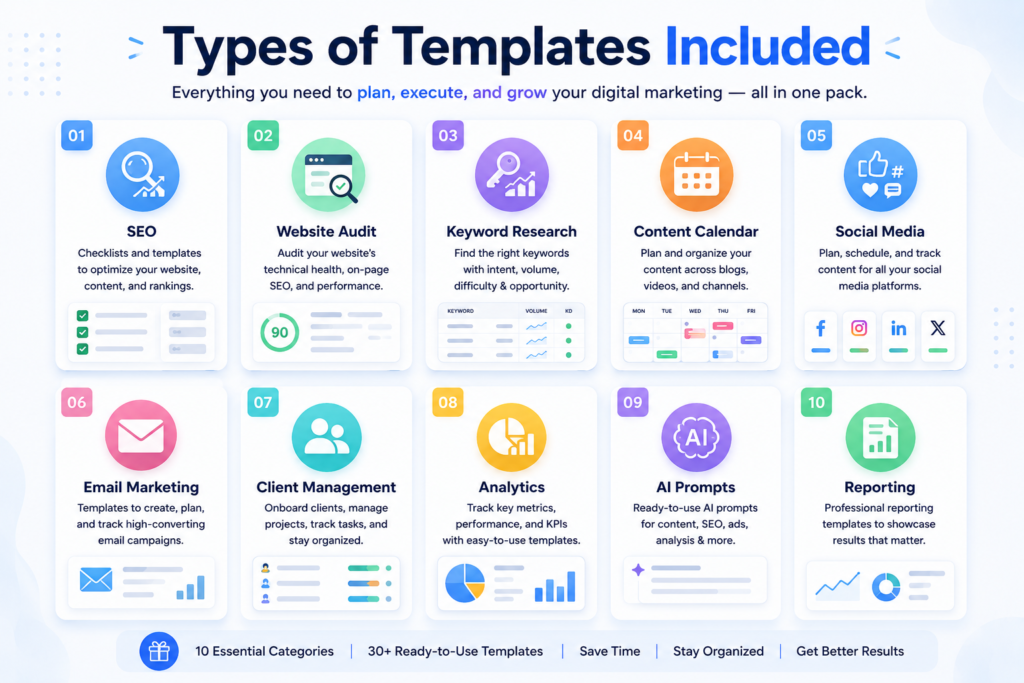
The entire digital marketing templates free download bundle has 31 pre-made tools. These cover everything from SEO and content creation to managing clients and creating reports.
Below are the free digital marketing templates included in the download pack:
| # | Template | Best For |
|---|---|---|
| 1 | SEO Checklist | All-round on-page, technical, and content SEO |
| 2 | Website Audit Checklist | Auditing new or existing sites |
| 3 | Keyword Research Sheet | Planning target keywords by intent and difficulty |
| 4 | Content Calendar | Scheduling blog and campaign content |
| 5 | Blog Publishing Checklist | Pre-publish quality control |
| 6 | SEO Content Brief | Writer handoff and content specs |
| 7 | On-Page SEO Checklist | Optimizing individual pages/posts |
| 8 | Technical SEO Audit Template | Site-wide technical health checks |
| 9 | Google Search Console Audit Sheet | Tracking indexing and performance issues |
| 10 | Backlink Tracker | Managing outreach and link-building progress |
| 11 | Content Optimization Checklist | Refreshing and updating old content |
| 12 | Marketing Campaign Planner | End-to-end campaign management |
| 13 | Social Media Calendar | Multi-platform post scheduling |
| 14 | Instagram Content Planner | Reels, carousels, and captions |
| 15 | LinkedIn Post Planner | Personal brand and B2B content |
| 16 | Email Marketing Checklist | Campaign QA before sending |
| 17 | Landing Page Checklist | Conversion-focused page reviews |
| 18 | Lead Generation Tracker | Monitoring lead sources and status |
| 19 | Client Onboarding Checklist | Smooth new-client kickoffs |
| 20 | Marketing KPI Dashboard | Tracking performance metrics |
| 21 | Monthly Marketing Report | Client and stakeholder reporting |
| 22 | Competitor Analysis Template | Benchmarking against rivals |
| 23 | Marketing Budget Tracker | Spend planning and monitoring |
| 24 | Freelancer Proposal Template | Winning new client work |
| 25 | Client Meeting Notes | Documenting calls and decisions |
| 26 | AI Prompt Library for Marketers | Reusable AI prompts for SEO/content |
| 27 | Marketing SOP Template | Documenting repeatable processes |
| 28 | Digital Marketing Workflow Planner | Mapping tasks across a campaign |
| 29 | Website Launch Checklist | Pre- and post-launch QA |
| 30 | Marketing Funnel Planner | Mapping the buyer journey |
| 31 | Project Management Tracker | Task and deadline tracking |
Let’s break down the templates marketers ask about most.
SEO Checklist
One of the most valuable free digital marketing templates is the SEO checklist.
Goal: A complete list that combines technical fixes, on-page pointers, and content SEO into one convenient guide.
When to use it: Before sharing fresh content or while doing routine checks for site performance.
Why it helps: Makes sure you don’t overlook essentials like alt text,t canonical tags, or internal linking.
Pro tip: Use this list every month instead of just once. SEO requires constant attention.
Style: Use Google Sheets with checkboxes or a Notion database.
Website Audit Checklist
Purpose: This gives a clear way to check a site’s technical condition, content standards, and user experience.
When to use: Use this when you start with a new client or need to check why your site’s performance has slowed down.
Benefits: It helps you find problems like crawling issues, low-quality content, and broken links in an organized way instead of guessing.
Pro tip: Combine this with your Google Search Console Audit Sheet to get a complete view — pairing GSC data and hands-on reviews catches more problems than using just one method.
Format: An Excel file with separate sheets to review technical, on-page, and content elements.
Keyword Research Planner
Purpose: Group target keywords based on their search volume, difficulty level, intent, and priority.
When to use: Use this at the beginning of an SEO or content campaign.
Benefits: Helps avoid random keyword selection by creating a well-organized, intent-based priority list.
Pro tip: Include a “content status” column to track what’s published, in progress, or still in the planning stage.
Format: Use Google Sheets, which works well with keyword research tool exports.
Our free digital marketing templates also include a keyword planner.
Content Calendar
Purpose: Create a main schedule to track posts, campaigns, and content deadlines.
When to use: Use it all the time as your go-to planning space.
Benefits: Helps maintain regular publishing, which audiences and search engines appreciate.
Pro tip: Use colors to separate content types like blogs, social, and emails. This makes it easier to spot any delays.
Format: Set it up in Google Sheets or a calendar view on Notion.
Backlink Tracker
Purpose: Track outreach efforts, link statuses, and the domain authority of sources.
When to use: Use this in any link-building or digital PR project.
Benefits: Helps avoid sending outreach twice and shows the state of your link profile.
Pro tip: Include a column to schedule follow-ups since most links get placed after the second or third contact, not the initial attempt.
Format: Use Google Sheets and set conditional formatting to track link status.
Client Onboarding Checklist
Purpose: Ensures every new client follows the same onboarding steps in their first week.
When to use: Start using as soon as the contract is signed.
Benefits: Prevents overlooked details like access info, goals, or brand rules that could lead to problems down the line.
Pro tip: Add a “client expectations” section; most disagreements happen because of unclear expectations, not poor work.
Format: Use either a Notion template or a fillable PDF.
Marketing KPI Dashboard
Purpose: Brings all important metrics like traffic, rankings, conversions, and ROI into a single place.
When to use: Use during weekly or monthly check-ins.
Benefits: Helps you find trends and share results fast instead of jumping between multiple tools.
Pro tip: Keep it simple with no more than 8 to 10 KPIs. Dashboards filled with 40+ metrics go unnoticed.
Format: Use Google Sheets and set it up with formulas that calculate automatically.
AI Prompt Library to Help Marketers
Goal: A chosen list of reusable prompts to write content briefs m, eta descriptions, audits, and social media captions.
Use cases: Useful any time you rely on ChatGPT, Claude, or Gemini to handle marketing work.
Advantages: Cuts down the time you spend creating prompts from nothing and helps ensure the results stay consistent.
Tip: Add an example of ideal output next to each prompt to compare against a strong result.
Structure: Notion database grouped by use case,l ike SSEO content, social, or email.
Free SEO Checklist
Since “free SEO checklist” is one of the most searched terms in this field, here’s a shorter version you can use right away. The complete interactive checklist is available in the downloadable pack.
Technical SEO
– XML sitemap submitted and error-free in Google Search Console
– Robots.txt does not block important pages
– HTTPS enabled sitewide
– Core Web Vitals within the “Good” range (LCP, INP, CLS)
– Mobile-friendly test passed
– Canonical tags correctly implemented (no conflicting signals)
On-Page SEO
– Primary keyword in the title tag, URL, and first 100 words
– Meta description written and under 160 characters
– H1 used once per page, with a logical H2/H3 structure
– Image alt text added and descriptive
– Internal links to 3–5 relevant pages
Content SEO
– Content matches search intent (informational, transactional, navigational)
– No thin or duplicate content
– Schema markup added where relevant (Article, FAQ, HowTo)
– Content updated within the last 6–12 months
Indexing & Structure
– Page indexed and appearing in Google (site: search or GSC URL Inspection)
– No orphan pages; every page is reachable through internal links
– Pagination and crawl paths are clean
Use this as a pre-publish gate. If a page doesn’t pass, it shouldn’t go live.
Marketing Checklist Template
Most campaigns fail not because of bad ideas, but because of missed steps. A strong marketing checklist template covers every phase:
- Campaign Planning: Define the goal, budget, and timeline first
- Research: Competitor analysis, market trends, past campaign data
- Audience: Clearly defined personas, not vague assumptions
- Messaging: A core value proposition that every asset ties back to
- Content: Blog posts, ad creatives, email copy, landing pages
- SEO: On-page optimization for any content linked to organic traffic
- Social Media: Platform-specific content, not one post shared everywhere
- Analytics: Tracking is set up before launch, not after
- Tracking: UTM parameters, conversion goals, pixel implementation
- Reporting: A standard report format so results are easy to share
- Optimization: A scheduled review point to adjust based on early data
Skipping step 8 (analytics setup) is the most common mistake marketers make. By the time they realize tracking wasn’t live, the early campaign data is gone for good.
Free Marketing Templates for Freelancers
If you freelance, your templates aren’t just internal tools; they’re part of your professional image. Clients notice when your process feels organized.
Here’s what every freelancer should have:
- Proposal template: A clean, structured pitch that outlines scope, deliverables, and pricing
- Invoice template: Professional, branded, and consistent across clients
- Client onboarding template: To make new clients feel confident from day one
- Content approval tracker: Avoids endless email threads about what’s approved and what isn’t
- Revision tracker: Logs feedback rounds so scope creep doesn’t quietly take your time
- Project timeline: Sets clear expectations on delivery dates
- Monthly report: Shows clients exactly what you delivered and why it mattered
- Task management sheet: Keeps multiple client workloads from colliding
These free marketing templates for freelancers are part of the full download pack, ready to customize with your branding.
How These Templates Save Hours Every Week
Let’s put real numbers on this. Based on typical marketer workflows:
| Task | Time Without Template | Time With Template | Weekly Savings (if done 3x/week) |
|---|---|---|---|
| SEO content brief | 45 minutes | 10 minutes | ~1.75 hours |
| Website audit setup | 90 minutes | 20 minutes | ~1.2 hours (1x/week) |
| Social media planning | 60 minutes | 15 minutes | ~2.25 hours |
| Client reports building | 75 minutes | 20 minutes | ~1 hour (1x/week) |
Add it up, and a single marketer or freelancer can regain 5–7 hours a week just by not recreating the same documents. That’s almost a full workday available for strategy, client relationships, or taking on more work.
Best Practices for Using Marketing Templates
Templates only work if you use them correctly. Here are some key rules:
- Customize, don’t just copy. Adjust each template to your niche, brand voice, and client needs. A generic template used without thought will seem generic.
- Automate where you can. Google Sheets formulas, Notion databases, and Zapier integrations can auto-fill recurring fields.
- Keep version control. Name files clearly (SEO-Checklist-v3-ClientName) so you’re never editing an outdated copy.
- Integrate AI carefully. Use AI to fill in first drafts inside templates, but always review before sending to a client.
- Choose the right tool for the job. Google Workspace is great for collaboration; Notion works well for databases and workflows; Canva suits visual planners; and Excel is ideal for calculation-heavy trackers like budgets and KPIs.
Common Mistakes to Avoid
Even good templates can fail if misused. Watch for:
- Using outdated templates. SEO changes quickly; a checklist from 2022 won’t cover Core Web Vitals updates or current schema best practices.
- Not updating SEO checklists regularly. Google’s algorithm evolves, and so should your checklist.
- Ignoring analytics. A perfectly filled template means little if you never review the data it tracks.
- Overcomplicated workflows. A complicated spreadsheet no one uses is worse than a simple one that people actually open.
- Poor naming conventions. Unclear file names (“Copy of Copy of Sheet1”) create chaos across teams and clients.
How AI Makes Templates Even Better
AI tools haven’t replaced templates; they’ve made them quicker to use. Here’s how marketers combine the two:
- ChatGPT / Claude: Drafting initial content briefs, meta descriptions, or audit summaries that you then refine within your template
- Canva AI: Generating quick visual assets for social calendars and campaign planners
- Google Gemini: Pulling quick research summaries directly inside Google Workspace documents
- Notion AI: Auto-summarizing meeting notes into your client documentation templates
The best workflow:
Use your template to define structure and use AI to speed up filling in the content within that framework. Templates without AI are still effective. AI without templates produces inconsistent, unstructured output. Together, they greatly improve productivity.
Free Download: The Complete Template Pack
You’ve seen what’s included; now it’s time to actually use it.
The complete digital marketing templates free download pack contains all 31 templates mentioned: SEO checklists, audit sheets, content calendars, client management tools, and reporting dashboards—in the format that fits your workflow.
– Download PDF Version
– Download Excel Version
No email drip campaigns, no hidden costs—100% free, ready to customize today.
Have you already read TrendChaska’s SEO beginner guides, website audit tutorials, content marketing strategies, AI marketing resources, or keyword research articles? This template pack brings it all together. It’s the practical toolkit that turns what you’ve learned into a repeatable system you can run every week.
Conclusion
Templates aren’t shortcuts that cut corners; they create the difference between marketing that happens by chance and marketing that’s designed. Whether you’re auditing a website, planning a month of content, or onboarding a new client, having a repeatable system means fewer missed details, faster execution, and more consistent outcomes.
That’s the real value of this digital marketing templates free download pack: saving time today and building a repeatable workflow that grows with you—whether you’re a solo freelancer or managing a growing agency.
Ready to stop recreating the same documents every week? Download the complete template pack above and start your next campaign ahead of the game. These free digital marketing templates can save marketers hours every week.
FAQs
What are digital marketing templates?
They’re pre-built, reusable frameworks, checklists, sheets, or planners that standardize repeatable marketing tasks like SEO audits, content planning, and client reporting.
Are these templates really free?
Yes. The entire pack, including the SEO checklist, content calendar, and client management templates, is available as a free digital marketing template download with no fees or hidden costs.
Can freelancers use these free digital marketing templates?
Absolutely. The pack includes templates designed specifically for freelancers’ proposals, invoices, client onboarding, and revision tracking.
Do the templates work in Google Sheets?
Yes, most templates are formatted for Google Sheets, with formulas and conditional formatting already built in.
Are Notion templates included?
Yes. Several templates, including the AI Prompt Library and Client Onboarding Checklist, are available as duplicable Notion workspaces.
How often should SEO checklists be updated?
At a minimum, review and update your SEO checklist every 6 months, as search engine guidelines and ranking factors change regularly.
Can agencies customize them?
Yes. Every template is fully editable; agencies can add their branding, adjust workflows, and use them for multiple client accounts.
Which template should beginners start with?
They should start with the SEO Checklist and Content Calendar—these cover the most common daily tasks and are the easiest to learn.
Are these templates AI-friendly?
Yes. They’re structured so you can insert AI-generated drafts (from ChatGPT, Claude, or Gemini) directly into the template fields.

Nidhi Patel is an SEO and digital marketing content strategist focused on AI SEO, content marketing, blogging, and personal branding. Through TrendChaska, she shares practical digital marketing insights, SEO strategies, and AI tools for beginners, students, and small businesses in India.